Zora Plinko: compare rows, risk and total cost
A Plinko board is not identified by its appearance alone. In Zora’s instant-game selection, confirm the developer and full title before comparing row counts or risk settings. Two boards with similar colours can use different multipliers and rules.
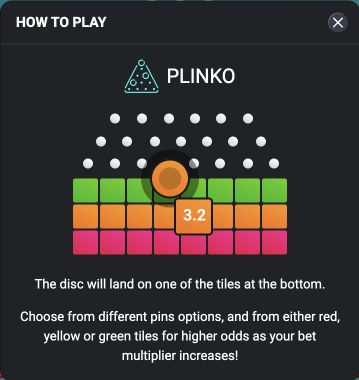
Read the payout labels along the bottom before starting. A risk selector can redistribute results between frequent small returns and less frequent larger returns. More risk does not mean that a particular ball is more likely to reach a desirable outside pocket. The animation is a presentation of the round, not a route that you can steer after release.
Check whether the control starts one ball or several paid rounds. Ten rounds at €0.20 create €2 of stake turnover; ten rounds at €2 create €20. This example concerns expenditure, not expected prizes. A fast animation can make those different totals easy to overlook.
If you change rows, risk or stake, review all three values together before confirming. Do not assume that reopening a familiar game restores your previous settings. Compare the information panel with the selected mode, and treat old screenshots as illustrations rather than proof of today’s configuration.
Read the board as a configuration, not a prediction
A useful Plinko configuration record contains the selected row count, risk label, stake and multiplier table. Read those fields together. If a row or risk control changes the payout labels, the earlier screenshot no longer describes the same selection. A comparison that changes two settings at once cannot identify which change produced the new table.
The visible path of a ball can make the result feel controllable, but the animation does not establish a steering mechanism. Unless the actual rules describe an interactive choice, a click after release should not be interpreted as changing where the ball will land. Do not infer such a feature from an animated pointer or a highlighted pocket.
Convert a multiplier into a complete result
Suppose an illustrative round stakes €0.50 and records a 0.4× total-return multiplier. Under that stated interpretation, the gross return is €0.20 and the net result is minus €0.30. At a 2× total-return multiplier, the gross return is €1 and the net result is plus €0.50. These examples explain units, not Zora's available pockets or a prediction of which multiplier will appear.
Check whether the title defines its multipliers this way before applying the arithmetic. A graphical result label should be reconciled with the round's recorded debit and credit rather than counted as profit automatically.
Count a batch as several commitments when the rules do
A control can launch several balls or repeat rounds quickly. Before using it, identify the number of paid rounds and the stake per round, then calculate the total committed by that instruction. For example, a fictional batch of twelve at €0.25 requires €3 of stakes. A display centred on the small €0.25 label can hide the scale of the complete batch.
Also establish when a stop command takes effect. It may stop future requests without reversing rounds already accepted. Do not assume the entire batch was cancelled because the animation stopped. The recorded round sequence is the appropriate place to count accepted commitments.
Inspect settings again after a return to the game
A new browser session or a different device can present settings that need another review. Check the stake, board configuration and any repeated-play control before pressing the same familiar start button. A previous preferred configuration is not a substitute for reading the present one.
If a result looks inconsistent with the displayed table, save the exact title, mode and round reference along with the table that was active for that round. A later screenshot after a setting change can be accurate for the new configuration yet irrelevant to the old result. Separating those states makes a support query specific without requiring another paid attempt.